Local AI on an 8 GB GPU: how I built Seferehov with Claude Code in two weeks
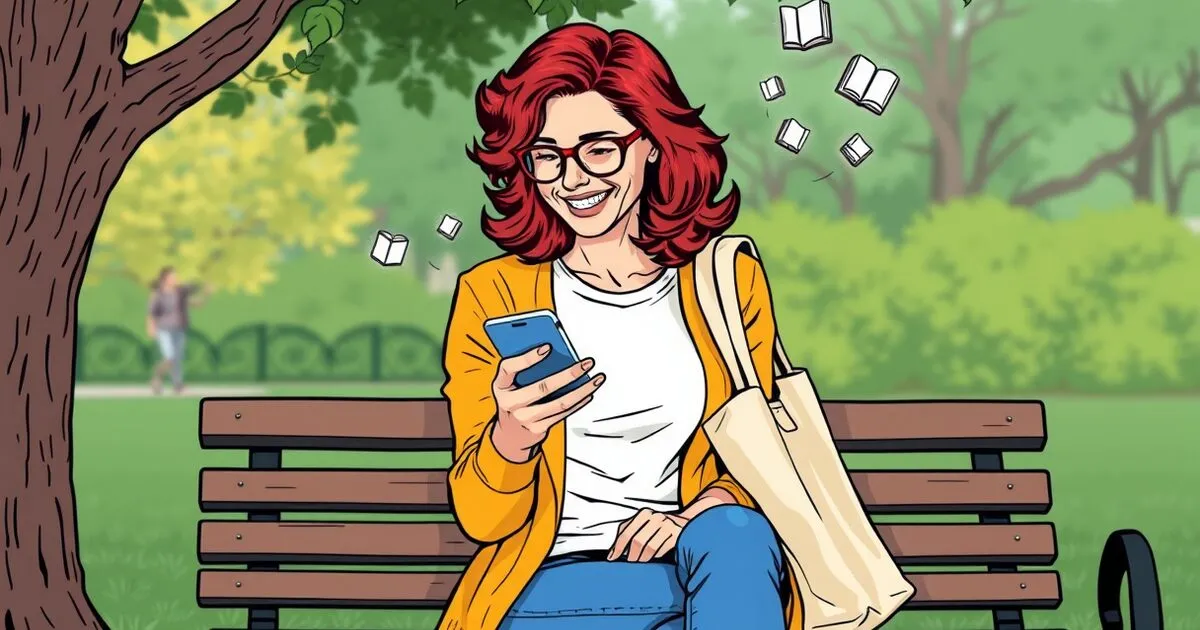
I point my phone at a shelf of books and walk slowly along it. The phone takes a photo each time I pause. A few minutes later, every book from that shelf is waiting in a list for me to approve, with its title, author, cover and catalogue record.
No cloud AI is involved. No photo goes to an AI company, and there is no charge for each photo. Everything runs on one server in my home, on an NVIDIA GTX 1080 graphics card from 2016 with 8 GB of memory.
The app is called Seferehov (ספרחוב, Hebrew for “street books”). It is live at seferehov.com, and the code is public at github.com/amih/seferehov. I built it between 14 and 28 October 2026 with Claude Code: 93 commits and about 31,000 lines. I typed about a hundred instructions over nine working sessions, and none of the code.
This post explains how the AI part works, which parts were hard, and what my instructions to Claude Code actually looked like.
What Seferehov is
Israel has many free street libraries: a shelf in a building lobby, a box in a park, a cupboard at a bus stop. You take a book and you leave a book. I enjoy finding a good book on one of these shelves, but I only find one by chance. Nobody knows what is on a shelf until they stand in front of it.
Seferehov is a map of these shelves and the books on them now. Anyone can photograph a shelf, and the app reads the titles. Anyone can search for a book by title and distance, or ask to be told when it shows up. Readers can also catalogue their own books at home (private by default) and offer books for sale or to give away. There is a nine-panel comic that explains it. I drew it on the same home server with a local image model.
It is a personal project and not yet a business. For me it is also proof of a way of building with AI that I want to offer to clients.
A chain of tools, not a chat
The usual approach is to send a photo to a large AI model and trust its answer. That does not work for Hebrew book covers. The best local vision model I tested reads the layout well. It knows which line is the title and which is the author. But when it cannot make out Hebrew letters, it invents them, and the result looks confident. So each step uses the tool that is best at that step, and the tools check each other:
- On the phone: a small image model (MobileNet-V3, 4 MB, trained for this app) decides whether a book is in view. The camera takes a photo only when the phone pauses over a book.
- Cut out and straighten: OpenCV cuts the cover or each spine out of the photo and straightens it.
- Read the layout: Qwen3-VL 8B, a vision model running in Ollama on the GPU, finds the title and author.
- Read the letters: Surya OCR reads the Hebrew print exactly as printed, line by line.
- Fix look-alike letters: the hspell dictionary decides between spellings when the two readers disagree.
- Pick: the vision model is asked a second time to choose the title and author from Surya’s lines. It no longer writes them itself.
- Codes: barcodes, ISBNs and the Israeli Danacode. A code is trusted only when its check digit is valid.
- Catalogues: a local copy of Open Library (38.6 million books, 14 GB, refreshed monthly), then the National Library of Israel and others.
- A person approves: every book waits in a queue until a reader approves, corrects or declines it.
Real-ESRGAN sharpens the pictures for display, and a local model guesses each book’s genre when the GPU is free. None of these steps needs an API key.
Guardrails: never trust a model’s output
The most important design rule is that a wrong answer is worse than no answer. If the app is not sure, the book waits with the title as it was read, and the reader types the rest. The app never attaches the wrong catalogue record. In practice:
- Two readers must agree. On shelf photos, each spine is read by the vision model and by Surya OCR, and a reading is kept only when they agree. On covers, each field the model read is replaced by the OCR line it most resembles.
- A catalogue match must fit the cover. The record’s main title must be printed on one line of the cover. A printed subtitle must not contradict it. The author must match, including a Hebrew spelling against an English one (“Carman” = “קרמן”, compared by consonants).
- Check digits decide. An ISBN with a valid check digit is trusted. A Danacode is trusted only when the record it points to also passes the cover check.
- Private details are blocked. Library names and hints are checked for door codes, phone numbers and e-mails, by patterns and by the local model, before they are published.
Measure, don’t guess
From the first week I could not tell whether a change made reading better or worse. I asked Claude Code for two tools.
The first is a trace of every AI step in every scan, at /admin/trace. It shows the original photo, each cut-out spine, what each model was asked and what it answered, and why each book was kept or dropped. I asked for it like this:
how can I debug the whole process, with all options. I want to see the different AI stages of each flow.
The second is a fixed test set, server/scripts/eval.js. I did not want to type out the text of hundreds of back covers by hand, so I asked:
Find a way to measure ocr accuracy without requiring me typing back cover texts
Claude Code’s answer was synthetic covers. The script takes Hebrew Wikipedia text and prints it in Hebrew fonts at three levels of difficulty. The text is known, so every reader can be scored. On 60 synthetic back covers, the word accuracy was:
| Reader | Clean | Like a phone photo | Hard (tilted, blurred, noisy) |
|---|---|---|---|
| Surya OCR | 98% | 97% | 98% |
| Vision model (Qwen3-VL 8B) | 92% | 76% | 77% |
| Tesseract | 72% | 73% | 28% |
The table explains the whole design. The vision model is good at layout but poor at tilted Hebrew. Tesseract, the usual free OCR tool, fails on hard photos. So Surya reads the letters and the vision model only chooses between Surya’s lines.
The test set also found a bug I would never have guessed. On tilted photos, the vision model sometimes wrote the Hebrew back to front. The fix was a small function that detects reversed Hebrew and turns it round.
Real covers are harder than synthetic ones: styled title art, text over pictures, glare. So I don’t quote one accuracy figure for real covers yet. That needs a hand-labelled set, which is the next step.
The hardest part: the model that made up letters
On 22 October I gave Claude Code this instruction:
the books I scanned previously, some I rejected in the approval step since the OCR was halucinated, check what happened and make OCR better for next time
It looked at the traces of the books I had declined and found two different problems.
- The title was read correctly, but the wrong book was matched. “תורת המשחקים” (Game Theory) matched a longer catalogue title that only contained those words. The title search counted a short title found anywhere inside a longer one as a perfect match.
- The vision model invented Hebrew letters, and sometimes swapped the title and the author.
The fix was the chain described above: Surya also reads the front cover, the model only picks among Surya’s lines, and every catalogue match is checked against the cover. Before and after, on the covers I had scanned:
| Book | Before | After |
|---|---|---|
| תורת המשחקים | wrong book | correct book |
| ראש גדול | wrong book (a school textbook) | correct book |
| 7 ההרגלים של נישואים… | wrong book | correct book |
| אני יכול להסביר | title and author swapped | correct |
| All earlier correct matches | still correct |
Four books are still not found, because their titles are styled artwork that no reader here can read. They wait in the queue with the title as read, which is the intended behaviour.
The check cost time: Hebrew covers now take 20–40 seconds longer to read. I accept that, because a wrong answer is worse than a slow one.
The trace also showed that I had approved one wrong book myself. “ארוחת הערב” (The Dinner) was attached to a gala dinner booklet instead of the novel. People make mistakes in the approval step too, which is one more reason to keep a record of every decision.
Getting the most from 8 GB
The GTX 1080 runs one scan at a time. Here are the measured costs:
| Scan | Time on the GPU |
|---|---|
| One book, front and back cover | about 1 minute |
| One shelf photo (every spine cut out and read twice) | about 3.5–7 minutes |
In 24 hours that is about 1,400 books by their covers, or 200–400 shelf photos. When I asked what would happen if many people scanned at once, the answer was clear. Five people each scanning a home library at the same time would make the last one wait ten hours or more. So:
- A priority queue. A single book’s covers are read between two photos of a long shelf batch, so that reader waits minutes, not hours. Readers take turns, and the app shows the expected wait, based on the last 30 days of measured times.
- A plan for growth, in order of cost. First, a faster pipeline (code only). Next, a used RTX 3090 (about $800, roughly three times faster). Last, a rented GPU only when the queue is long: tens of dollars a month on demand, hundreds if it runs all the time.
The same numbers apply to client work. “Your data stays on your own servers” does not have to mean buying hardware. A GPU server the client rents and controls also qualifies, and the cost depends on GPU hours, not on calls to an AI company.
The phone is the other half
About half of my instructions were not about AI at all. They were about the camera, because I tested every version on real shelves in the street and at home. A few real examples, typos included:
when I try to take front and back photos of a square shaped book, it takes a lot of time for the camera to take the photo
Curently it takes a photo every second even before I focus my camera on the first book, and it keeps on taking photos after the last one, even when I point the camera away from the books
the app on my phone is stuck with a black screen, the menu is not responding. I had to uninstall and install again
Each one led to a real change. The covers camera now accepts more shake the longer it waits, so a photo comes within one or two seconds. The small on-phone model decides whether a book is in view, so the camera ignores the table and the floor. On a phone video of a row of books the model had not seen before, it found the book in all 92 frames. The black screen was a memory leak in the map, caused by a screen closed with a quick tap.
My own testing also changed the design. Claude Code first built shelf scanning from video and planned to improve how it merged frames. After comparing the two, I wrote:
Photos still beat video, because a photo has more pixels than a video frame. maybe remove the video option and instead tell the user the app will take automatic photos
The video option is gone. The camera now takes a full-resolution photo at each pause.
The last few days: nothing taken is lost
On 28 October I tried the shelf camera at a library I had just found, and it failed twice.
First, it took no photos at all, because I could not hold the phone steady enough. The app decided “steady” by how much the picture changed between frames. On a shelf full of thin spines, a small shake changes the picture as much as moving to the next books. The new version measures the phone’s real speed: about seven times a second it matches each frame to the one before. It also adds up how far the phone has moved since the last photo. A bar on screen says “Hold steady…”, then ”✓ Taken — move on”. Every camera session now saves its numbers (speeds, pauses, sharpness, but no pictures) so I can tune the limits from real shelves.
Second, four photos the phone did take never reached the server. I asked:
the phone app did take 4 pictures locally, check why they were not sent to the server. Perhaps because I turned the screen off and put the phone in my pocket?
That was the cause. The photos were only in memory, waiting for a batch of eight or a “send” button. So I asked for a review of the whole app based on one principle: someone taking photos in the street pays little attention to buttons, and every photo must reach the server. The result is a store-and-forward outbox:
- Each photo is saved on the phone the moment it is taken.
- It is retried with growing pauses when there is no signal or the server is busy, and sent in the background after the app is closed.
- Every upload carries an ID, so a photo sent twice is saved once.
- An upload the server refuses is kept and listed on screen, never dropped silently.
Claude Code took the principle further than I wanted. It removed the “keep / retake” screen for book covers, because that screen needed a tap. An hour later I wrote:
the “Keep / retake” - bring back the option to retake, the first take is too quick sometimes.
The result is a compromise: for six seconds, both cover pictures are shown over the live camera with “retake” on each. If you don’t tap, the book is sent by itself.
What working with Claude Code was like
The pattern was the same every day. I tested on a real shelf, described what went wrong in one or two plain sentences, and Claude Code found the cause, changed the code, deployed it and told me what it had and hadn’t tested. It was usually clear about the last part: “tested in a desktop browser with a fake camera, not on a real phone yet.”
My part was judgment, not typing:
- Deciding what “correct” means. The rule that a wrong book is worse than no book came from me, after I declined the hallucinated titles.
- Testing in the real world. No test suite would have found the photos lost in my pocket.
- Asking for measurements before trusting a fix: the trace, the test set, the camera statistics, the GPU capacity table.
- Saying no. I removed video, brought back retake, and turned down features that would add moderation work for a single developer, such as in-app chat.
- Keeping project rules in writing. The project has a rules file Claude Code reads at the start of every session, a deploy script, a features document updated with every change, and a public repo without private data.
What this means for a business
The same pattern fits many documents a business handles in Hebrew: invoices, delivery notes, forms, scanned archives. Ready-made AI services handle Hebrew poorly, and many Israeli companies cannot send their documents to a cloud AI provider. A chain of local tools that check each other, with measured accuracy and a person who approves, solves both problems.
If you have a pile of documents and want to know how well this would work on them, book a call. I can run a sample of your documents through a pipeline like this one on your own servers and give you measured results before you commit to building anything.
A video of the app in use, at a street library and at home, will be added to this post later.