Seferehov: an app that works for you, not the other way round
🎧 Listen to this post · 9 min
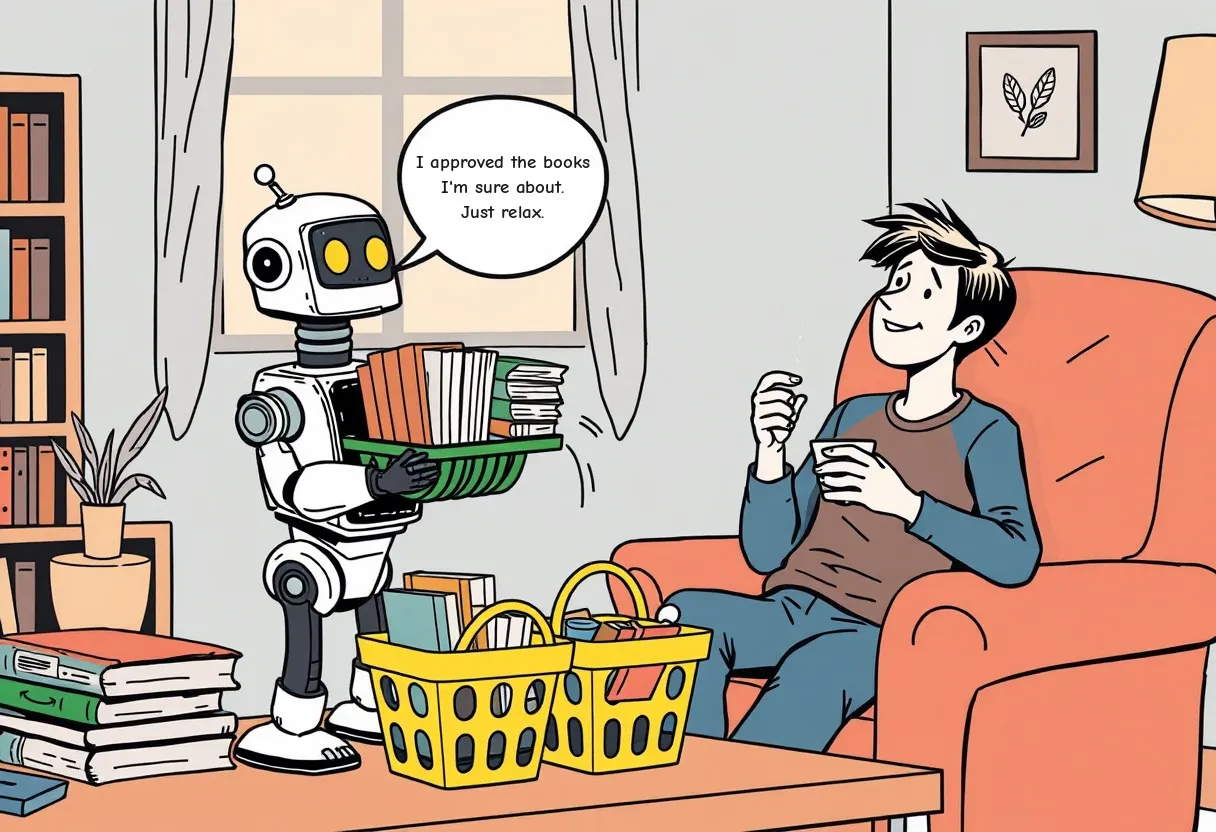
Seferehov (Hebrew for “street book”) is my app for street libraries: the small book cabinets on streets around the world, where anyone can take a book or leave one. It started in Israel, and readers in any country are welcome to try it. You take photos of the shelves, and AI models on one graphics card in my home read the book spines and list every book. My last post was about how the app reads. This one is about something every company that adds AI runs into sooner or later:
the AI did the work, but a person still had to check all of it.
After one shelf session on 23 November, the app found 222 possible books and put most of them in my list to approve. Approving books one by one is slow. A reader who takes photos for fun will not do it. So this week the question was simple: how much of that checking can the app do by itself, safely, and how should it talk to the people who use it?
Four things changed:
- The app approves the books it is sure of. The rule came from my own past decisions.
- It tells you what it did for you, in three short lines.
- Volunteers can help with books nobody checked.
- The camera takes the photo sooner.
Which books can be approved without a person?
Every book the app finds gets a confidence level, from 15 to 95, and a reason. For example: “found in the catalogue, by the same author as on the spine, and seen in two photos or more”. The app already sorted my list by it, surest first.
The question was where to draw the line. Instead of guessing, I looked at what I had already done. I had approved or declined 520 books by hand. For each confidence level, how often had I agreed with the app?
| Confidence level | What it means | I approved | I declined | Agreement |
|---|---|---|---|---|
| 92, “sure” | In the catalogue, same author, seen in 2+ photos | 56 | 0 | 100% |
| 90 | In the catalogue, and a second reader (OCR) confirmed the text | 77 | 1 | 99% |
| 75 | The reading was corrected, then found in the catalogue | 78 | 2 | 98% |
| 65 | Found in our own title index | 20 | 4 | 83% |
| 55 | Found by a web search | 19 | 10 | 66% |
| 40 | Read by OCR only | 20 | 14 | 59% |
| 30 | Read by OCR, found nowhere | 25 | 79 | 24% |
| 15 | Low | 3 | 41 | 7% |
(OCR is a program that reads printed letters from a picture.)
The table draws the line for you. At 75 and above, I agreed with the app 211 times out of 214. Below that, agreement drops fast. So since 24 November, the app approves every book at 75 or above by itself. When I switched it on, 150 books that were waiting in the queue were approved at once.
Two things make this safe:
- The rule is measured, not felt. It came from 214 real decisions. I will check it again as new decisions come in.
- Every automatic decision can be undone in one tap, in “Recent decisions”. About 1 in 100 will be wrong. That costs a reader one tap, not a wrong book on a public shelf forever.
Telling people what the app did for them
When the reading is done, the app sends an email. It used to say “We found 48 books. Check and confirm them.” That is a to-do list. Now it reads like this:
We read the photos you sent and found 168 books:
🟢 36 books, high confidence: approved for you, nothing to do. 🟡 79 books, medium confidence: most are right. You don’t have to go through them; if you’d like to volunteer and help improve Seferehov, a quick look helps a lot, and we’d really appreciate it. 🔴 53 books, low confidence: most are misreads. You can skip them, especially if the list is long. 🧹 54 more reads were duplicates (the same book in several photos) or poor reads, so we did not bother you with them.
The same three lines open the approval page in the app.
The wording was not my first draft. When I read the Hebrew version, one word stopped me: it said readers were “allowed” to skip the low-confidence books. I told Claude Code to say “you can” instead of “you are allowed to”, since we are not the manager and the user is not an employee.
That sentence became a rule for all of the app’s text. The people who use Seferehov are volunteers. The app works for them. Their part is a favour, and the text should say thank you, not give orders.
Volunteers for the books nobody checked
Some readers will never open the list, and that is fine now. But a book that waits forever is a book missing from the library’s page.
So books at public street libraries that their photographer did not check within 3 days are now open to any signed-in user. They see the cut-out photo of the spine next to the book the app thinks it is, and answer one question: “Is this the book in the picture?” Right, not this book, or skip.
- Two volunteers who agree decide the book. A trusted user, someone with at least 5 approved contributions, decides alone.
- The photographer still gets the full points for the find. The volunteer gets points for every check. Points have no money value, so there is no reason to be stingy with them.
- Home books are never shown to anyone else.
There is also a list of all the libraries that have books waiting, nearest first, so a volunteer can help from home.
A camera that does not make you wait
Readers take shelf photos with the app’s camera, which takes the photo by itself when the picture is steady. The camera’s logs showed it was slow:
- 4.4 seconds, at the median, from a new shelf coming into view to the photo.
- 9 seconds per photo over a whole session of 37 photos.
- Saving each 4K photo took 3 seconds, and up to 10.5 seconds on an older phone. While it saved, the camera’s checks of the picture slowed to one every 1.8 seconds.
The new camera, live since 24 November, uses the phone’s motion sensors. It learns how steady your hand gets, and the moment it is that steady, and the picture is in focus, it takes the photo. One white flash says “done, go to the next shelf”. Then, while you start to move, it quietly takes a few more photos and keeps the best two. The server reads both. A book seen in two photos is one of the things that makes the app “sure” of it, so more books get approved automatically.
The new camera went live the day this post was written. Its first real numbers, seconds to the flash and seconds per shelf, will be in the next post.
Smaller things that make a difference
- The back button goes back one screen at a time. It used to jump straight to the map.
- Credit where it is due. Books whose details came from the National Library of Israel now say so, with a link to the library’s record, as its terms ask.
Where it can still go wrong
The 99% is from the past. If the app changes how it reads, the levels can drift, so the numbers must be checked again from time to time. The decisions made automatically are kept apart from mine, so they never count as evidence for themselves.
What this means for your business
Most businesses that add AI end up with the same thing I had: a queue of AI results that a person must check. The AI saves typing, but not attention. The method here works anywhere the AI gives a confidence level and people make a decision:
- Invoices and expenses. Approve automatically the ones that match a purchase order and a known supplier, at the level where your bookkeeper agreed with the system 99% of the time. The bookkeeper sees only the rest.
- Support tickets. Route automatically the ticket types your team never re-routed by hand, and send the unclear ones to a person.
- Document intake (forms, IDs, delivery notes). File the clean ones; show a person only the ones with a missing or doubtful field.
In each case the line is drawn from your own staff’s past decisions, not from a model’s promise. Your staff see what the system did for them, and every automatic decision can be undone.
All of it runs on one 8 GB graphics card from 2016, and nothing leaves my server. If your team spends its time checking AI results, book a free 30-minute video call and tell me about it.